Camera-Ready Paper

1. Login to IEEE pdfExpress (If you do not have an account, please create a new one)
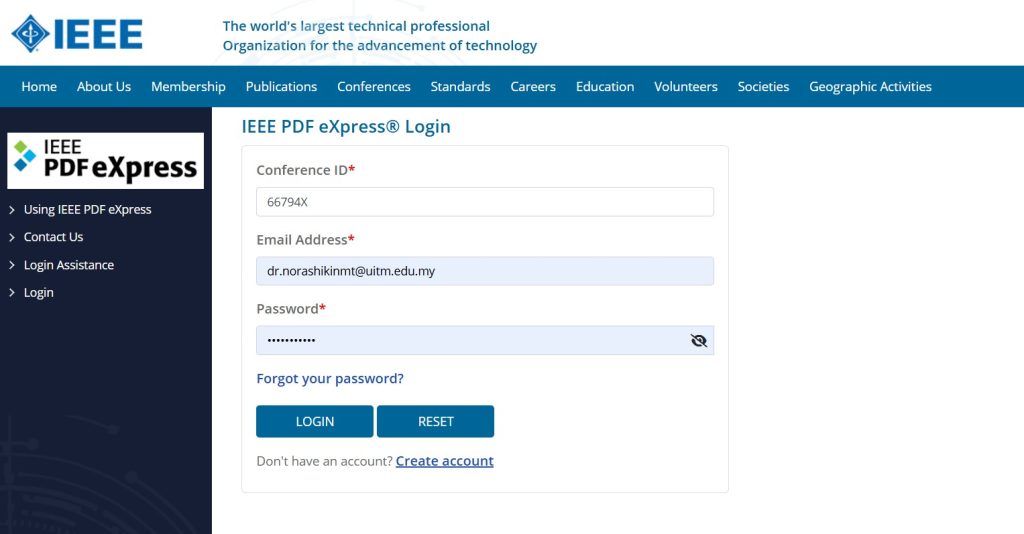
    2. Enter Conference ID: 71459X

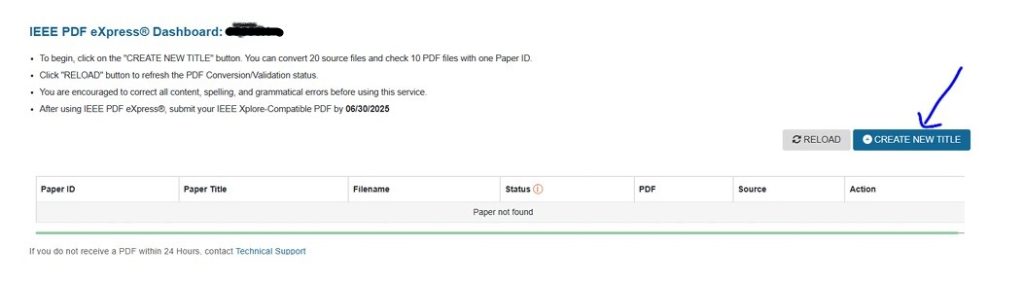
    3. After log in, click on the “CREATE NEW TITLE”
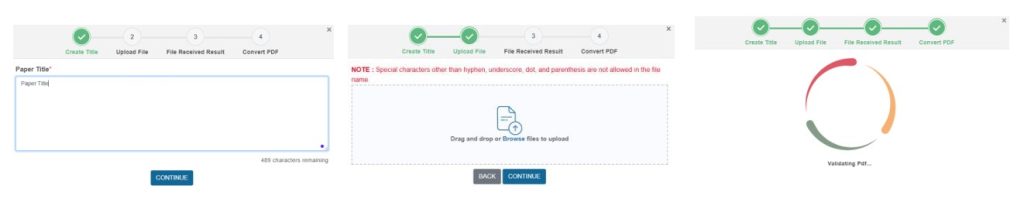
    4. Enter paper details

    5. Upload Your Source File

    6. Confirm File Receipt

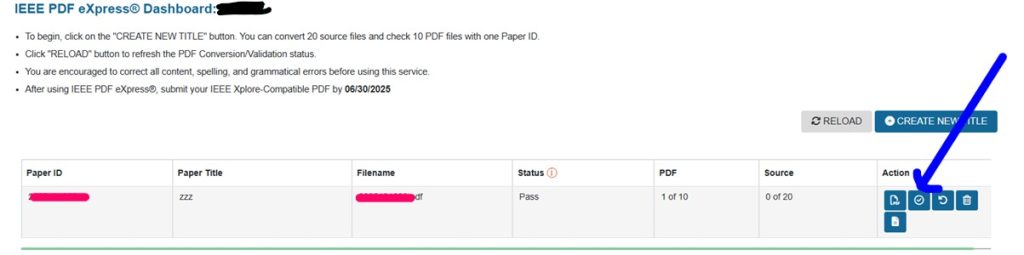
    7. Approve the Converted PDF

    8. Download the Final PDF

    9. Upload the final PDF to EDAS

    Before You Submit – Quick Checklist

    • Paper has passed PDF eXpress validation with a status of Pass, not Fail.
    • Converted PDF has been Approved in the PDF eXpress dashboard.
    • File name contains only letters, numbers, hyphens, underscores, dots, or parentheses.
    • Downloaded PDF opens correctly and matches your final camera-ready content.
    • Final PDF (not the Word/LaTeX source) is uploaded to the correct EDAS submission slot.
    • Submission is completed before the camera-ready deadline published on the conference website.